
Pour a list of words into a heart, a star, a cloud or any image you upload. Choose from hundreds of fonts, build your own colour palette, control how densely words pack, click any word to restyle or lock it — then download a PNG up to 16K or a vector SVG. Everything runs in your browser.
A worked example: one of our guides as a word cloud
A word cloud is most useful as a quick summary of a long text, so we gave WordCloud Studio a real one: the full text of our guide How big does a QR code need to be to scan?, about 1,900 words. We followed the method from our guide to word clouds from survey answers: let the tool count, then fix what it got wrong. The screenshots were taken on the live editor on 10 October 2026.
1. Paste the text and let the tool count
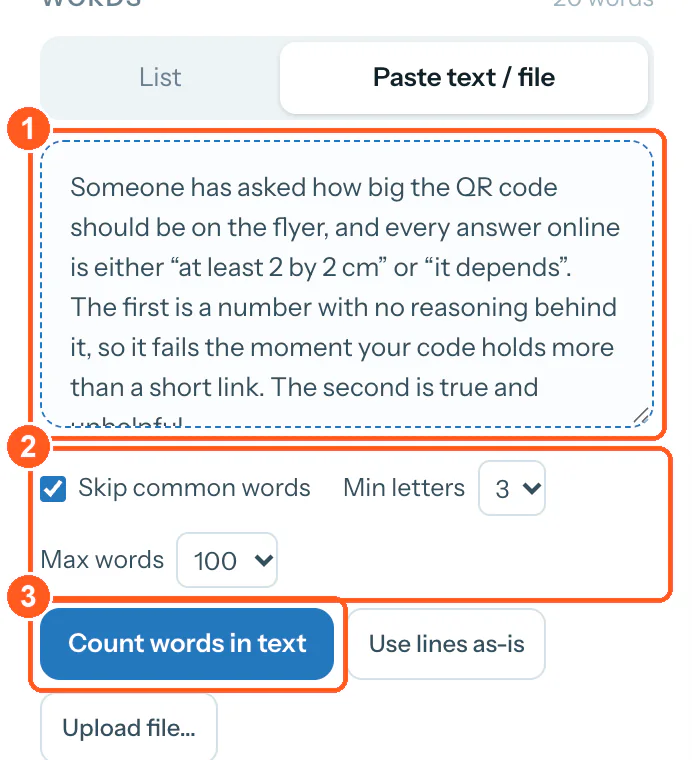
- Mark 1: The guide text, pasted in. A .txt, .csv, .tsv or .md file works too, and it is read on your device.
- Mark 2: The defaults: skip common English words, ignore words shorter than three letters, keep the 100 most frequent.
- Mark 3: Count words in text sizes each word by how often it appears.
2. Look at what plain counting gives you
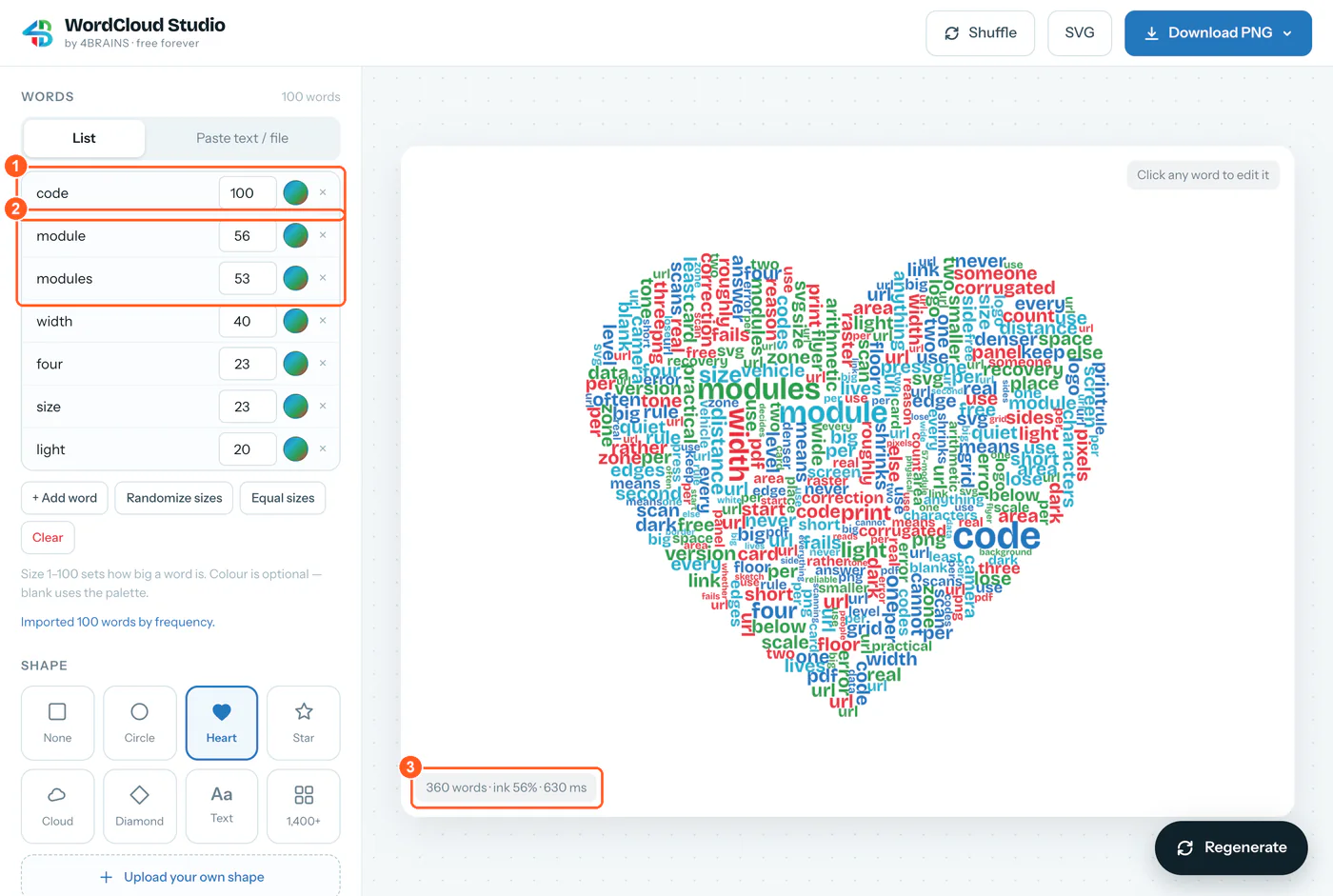
- Mark 1: “code” comes first with the top weight of 100. It appears 38 times, because every sentence of a QR guide is about codes.
- Mark 2: “module” (22 times) and “modules” (21 times) are counted as two different words.
- Mark 3: 360 words on the canvas from a list of 100: Repeat words to fill gaps is on by default, so words are repeated until the shape is full.
Leaving out common words and words under three letters, the guide uses 510 different words, and the tool kept the 100 most frequent. That raw cloud has the three faults the survey guide warns about: the subject word wins, one idea is split across two spellings, and repeated words make the picture look busier than the text is.
3. Clean the list
We made four changes, the same ones the survey guide recommends:
- Removed code and codes. In a guide about QR codes they tell the reader nothing.
- Removed 19 filler words that the built-in list of common words does not catch: one, two, three, four, every, means, roughly, rather, someone, anything, per, use, least, never, keep, place, reason, below, real.
- Merged singular and plural: module 22 and modules 21 became module 43, and the same for edge, scan, width, size and the rest.
- Dropped every word used fewer than three times.
That left 56 words. We pasted them back as one word count line each and pressed Use lines as-is, so every word’s size is its real count. For a short list you can do the same in the List tab: the × removes a word, and the number beside it sets its size.
4. Shape, type, density and export
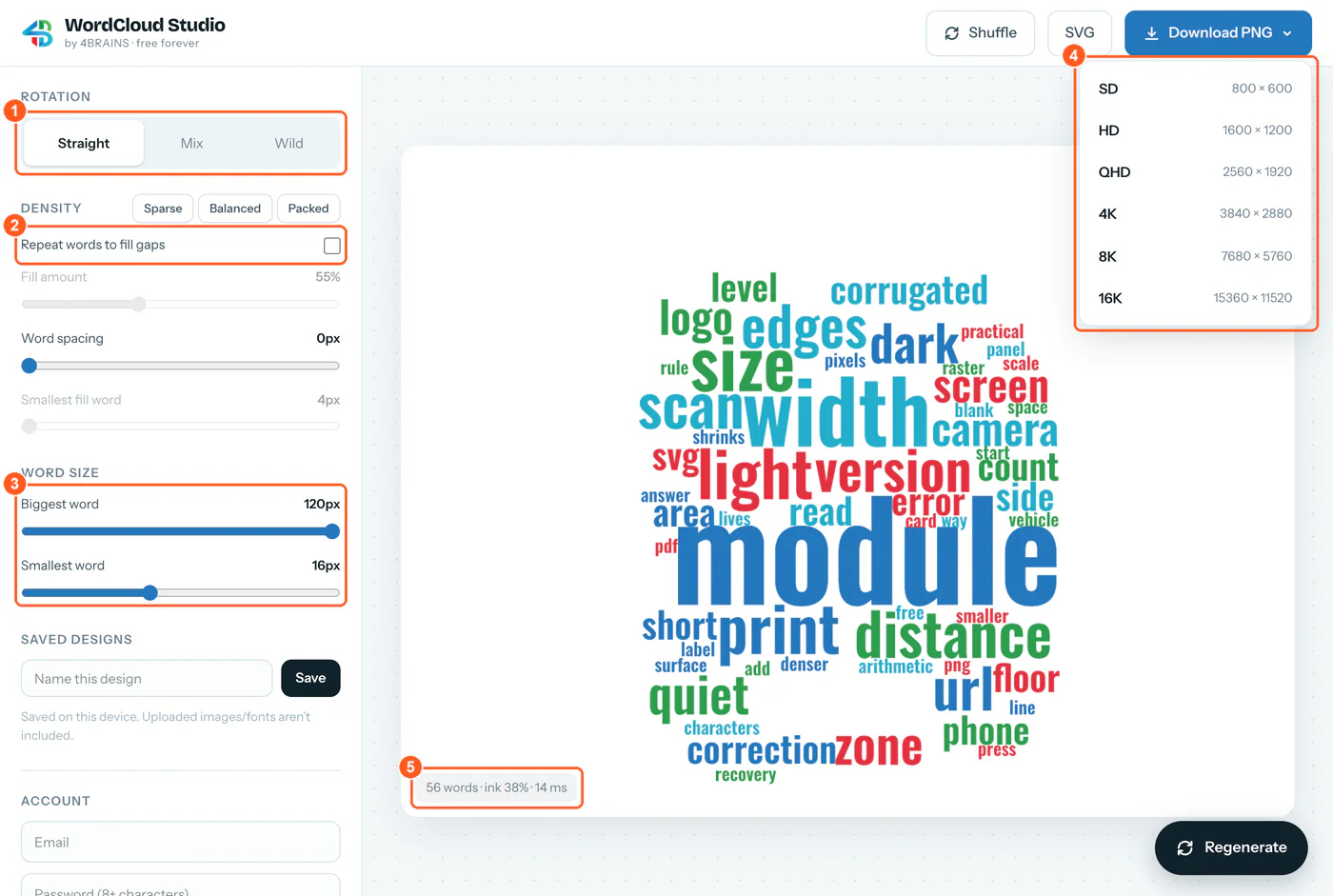
- Mark 1: Straight: every word horizontal, the easiest to read on a web page.
- Mark 2: Repeat words to fill gaps turned off, so each word appears once and its size stays its count.
- Mark 3: Biggest word 120 px and smallest 16 px. With each word used only once, the default 8 to 35 px covered 6% of the canvas.
- Mark 4: The PNG sizes, all 4:3. We chose HD, 1,600 × 1,200.
- Mark 5: 56 words, covering 38% of the canvas.
The shape is the phone silhouette from the shape library of 1,422 icons, and the typeface is Oswald, a condensed sans, so long words take less width. We downloaded the HD PNG and the SVG.
The result
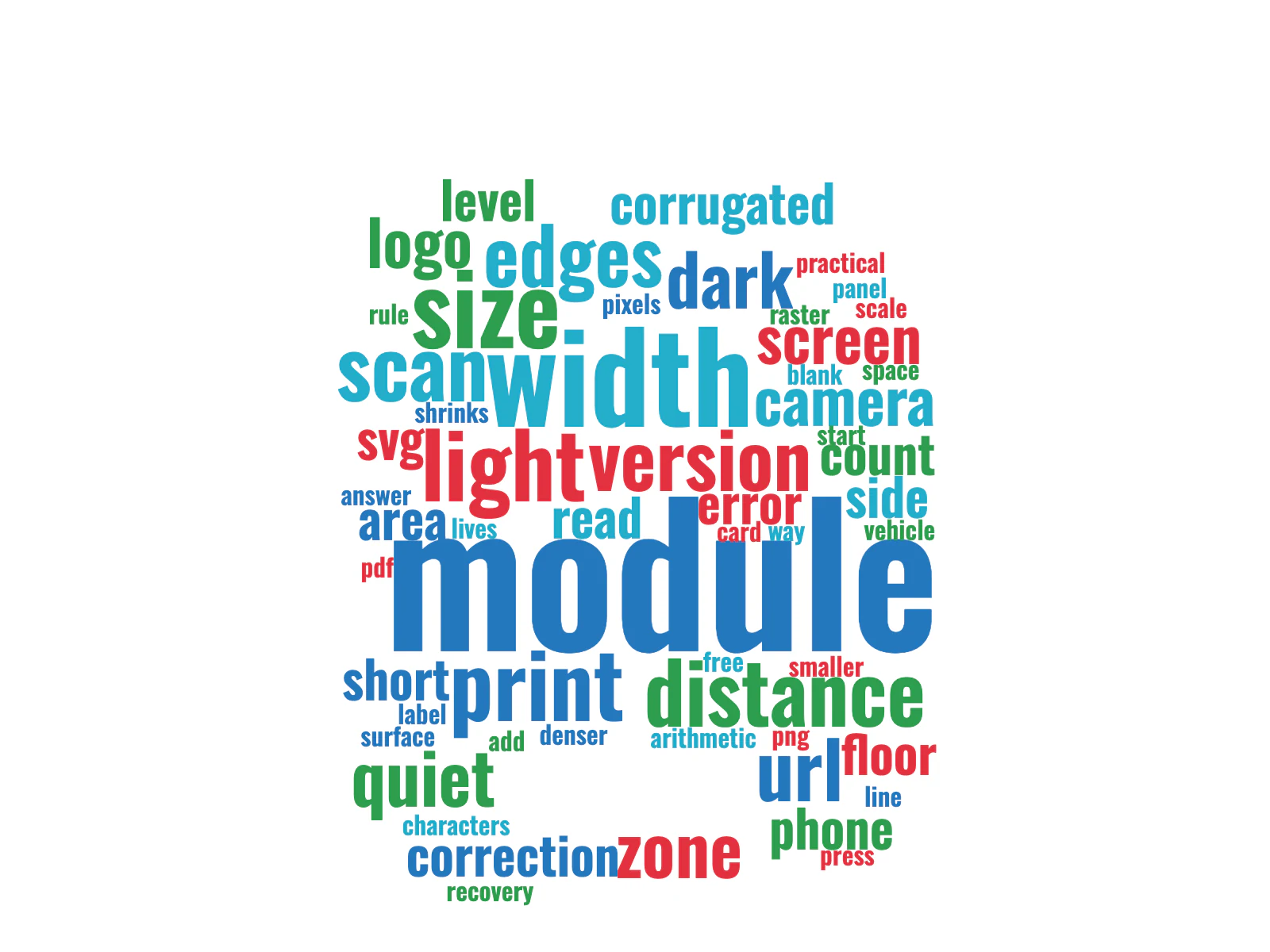
The cleaned cloud gives the guide’s argument at a glance. module (43 uses) has more than twice the count of any other word, followed by width (17), size (11), light and print (9 each). The guide’s summary says the answer is module width, not code width. The raw cloud in step 2 hid that under code.
It also shows the limit of counting single words. quiet and zone sit apart, and so do error and correction, though each pair is one idea in the guide. If a phrase matters, add it to the list as one entry, such as quiet zone 6.
Limits and file formats
- Input: type or paste words, one per line with an optional size and colour (
love 10 #e23140), paste any text and count it, or load a .txt, .csv, .tsv or .md file. A .csv with word,size columns is read directly. - Counting lowercases the text, skips a fixed list of common English words and words below the minimum length, and keeps the top 25, 50, 100, 200 or 400. It does not merge plurals or keep phrases together; do that yourself, as above.
- Shapes: none, circle, heart, star, cloud, diamond, a word of your own, 1,422 Font Awesome Free silhouettes (CC BY 4.0), or your own PNG, JPEG, SVG or WebP image.
- Fonts: 16 in the list, any Google Font by name, or your own .ttf, .otf, .woff or .woff2 file.
- PNG at SD (800 × 600), HD (1,600 × 1,200), QHD, 4K, 8K or 16K (15,360 × 11,520), on your background colour or transparent. The largest sizes may not fit in a browser’s memory; the tool then says so and suggests the next size down.
- SVG keeps every word as editable text, which keeps the file small (12 KB for this cloud), but the font is not embedded. Opened on a computer without that font, the words are drawn in a fallback typeface whose letters are a different width, so they no longer fit the layout exactly. Install the font, or convert the text to outlines in your vector editor, before sending the file to a cutting machine or a print shop.
- Privacy: the cloud is made in your browser. Designs are saved on your device; uploaded shapes and fonts are not part of a save. An optional account syncs saved designs between devices.