
Most free QR generators route your code through their servers and turn it off when the trial ends. QR Studio puts your content in the code itself, generated in your browser: links, WiFi, contact cards, events, WhatsApp, Google reviews, UPI and SEPA payments and more. Choose colours, add a logo, a call-to-action frame or both, test-scan it, and download a PNG up to 16,370 pixels wide, or SVG, PDF or EPS. It also makes retail and logistics barcodes with the check digits and GS1 sizing done properly.
A worked example: a code that opens one of our guides
To show each step on a real code, we made one that opens our guide How big does a QR code need to be to scan?, the kind of code you would print on a handout or a shelf card. The screenshots were taken on 10 October 2026; the one in step 3 was taken again later that day, after a correction to the print size QR Studio suggests for a scan distance. The numbered marks are ours.
1. Choose what the code does, and read what it will contain
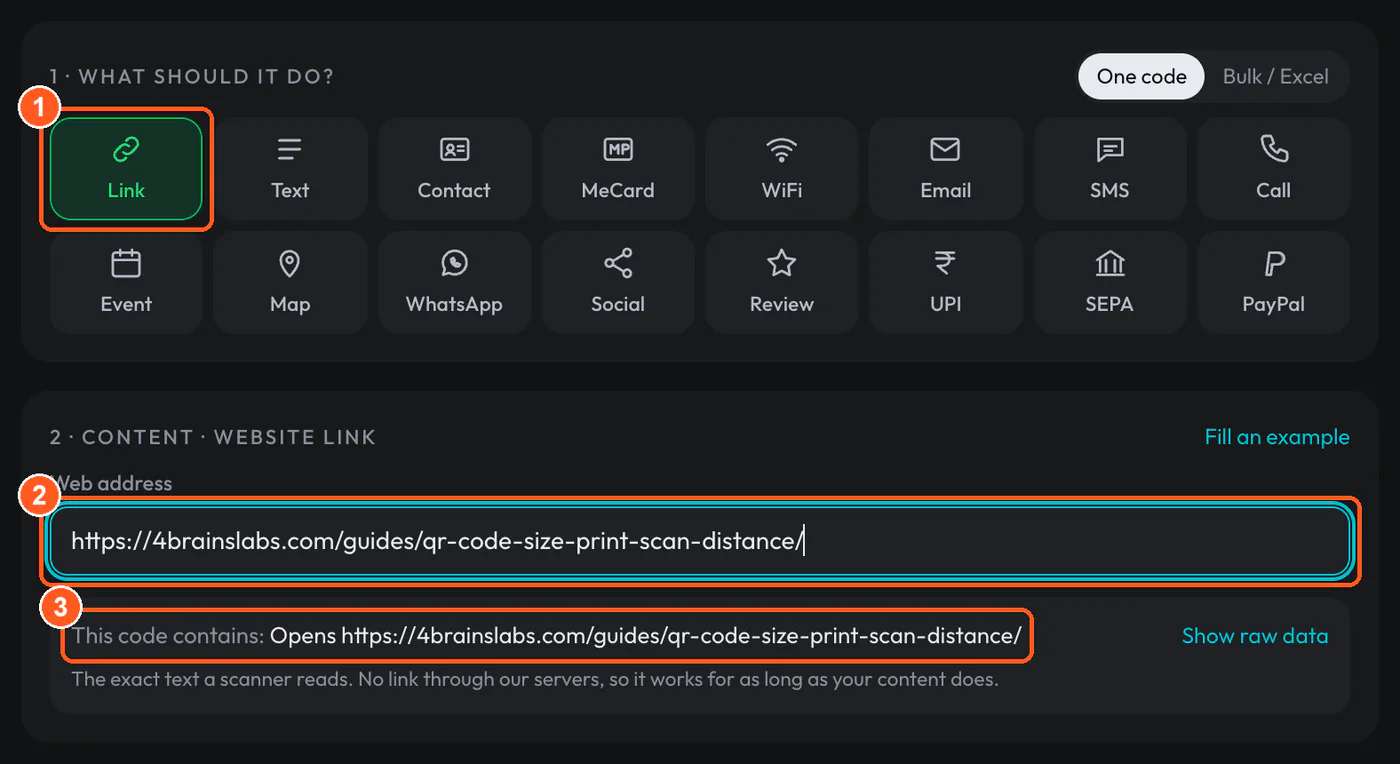
- Mark 1: Link is one of 16 kinds of code. The others include WiFi, contact cards, calendar events, WhatsApp, Google review links, and UPI, SEPA and PayPal payments.
- Mark 2: The address goes in exactly as you would type it into a browser.
- Mark 3: This line is the text a phone will read from the code. It is the address itself, with no short link of ours in front of it.
That third line is the reason to use a static code. Many free generators put their own short link in the code and forward it to your address. If that service closes or your trial ends, every printed copy stops working. Here the code holds the address itself, so it works for as long as the page exists. The tool also showed a note below the preview: a printed code lasts only as long as the address does, so point it at a domain you own or control.
2. Add a logo, and let error correction go up
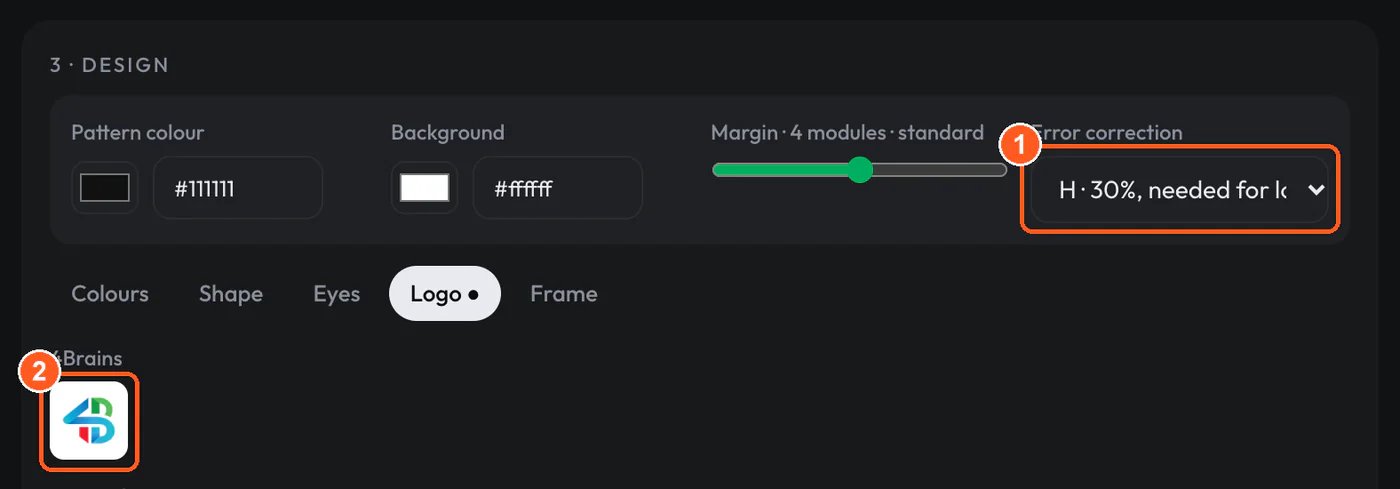
- Mark 1: Error correction changed from M (15%) to H (30%) on its own when the logo went on.
- Mark 2: We picked the 4Brains logo from the built-in set. You can also upload your own PNG, JPG or SVG.
A logo hides modules that the scanner needs, and error correction is what lets it rebuild them. The tool raises the level to H as soon as you add a logo, and it reports how much of the code the logo covers: 5% in this example. It shows an error if a logo covers more than 7% of the code at level M, 15% at Q or 20% at H, and a warning when it comes close.
The extra error correction has a cost. Without the logo, at level M, this address fitted a version 5 symbol of 37 × 37 modules, printable from 18 mm wide. At level H it needed version 7, 45 × 45 modules, and at least 21.2 mm. A finer grid needs a bigger print to scan from the same distance, so the tool works out the smallest safe size again every time you change something.
3. Test-scan it, then download
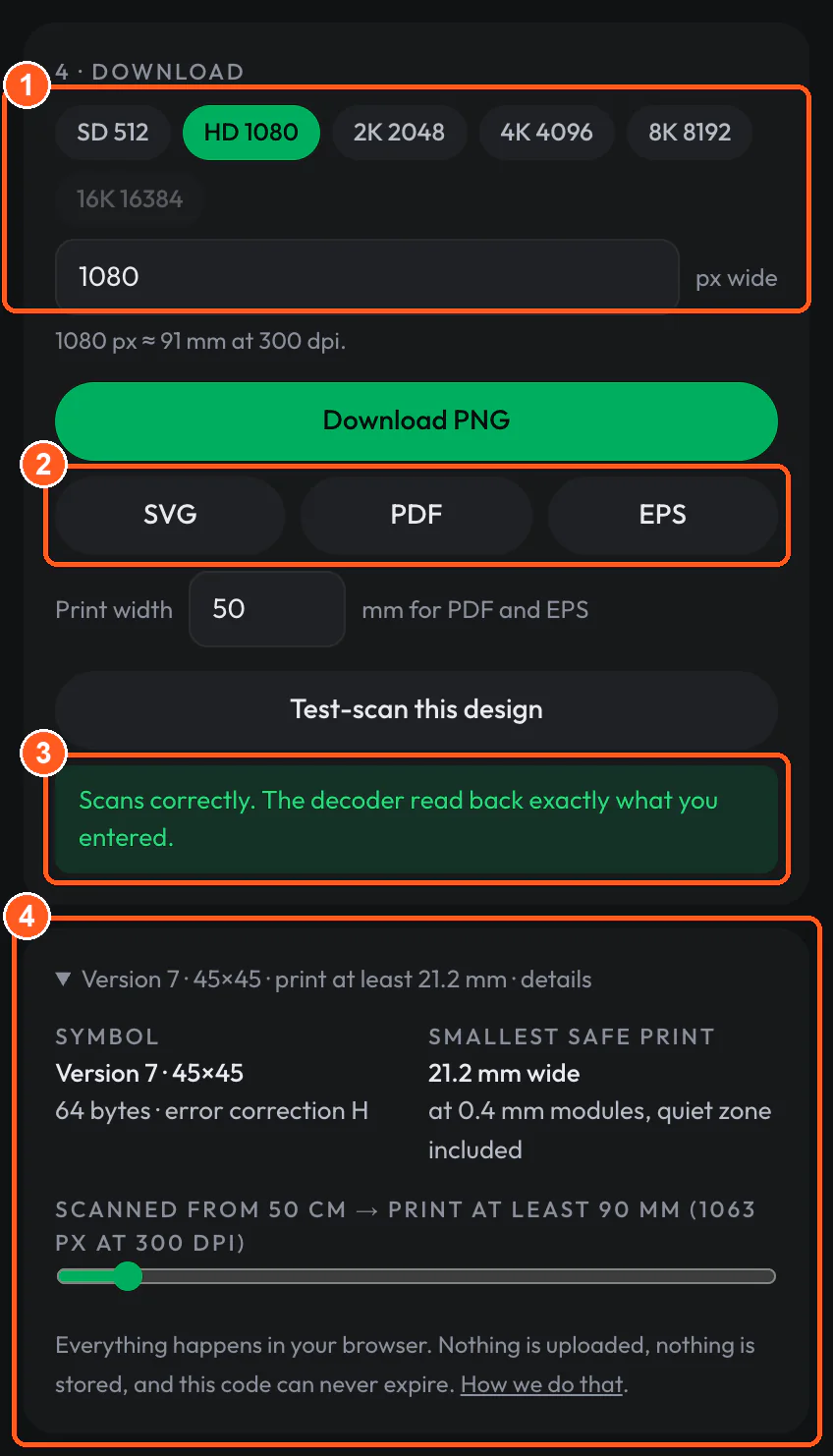
- Mark 1: Preset widths from 512 to 8,192 px, or type any width. The 16K preset is greyed out: a square code that wide is more than a browser can draw, and the limit is 16,370 px.
- Mark 2: Vector files. PDF and EPS are laid out at the print width in millimetres set just below them.
- Mark 3: The test-scan draws the finished design as an 800 px image and reads it back with a second, independent decoder.
- Mark 4: The details: symbol version, the smallest safe print at 0.4 mm per module, and the print size for a chosen scan distance: 50 cm here, which gives 90 mm for this 45-module code (a tenth of the distance, scaled by 45 ÷ 25, as in our size guide).
The test-scan reported “Scans correctly. The decoder read back exactly what you entered.” We downloaded the PNG at 1,080 px and the SVG.
The result
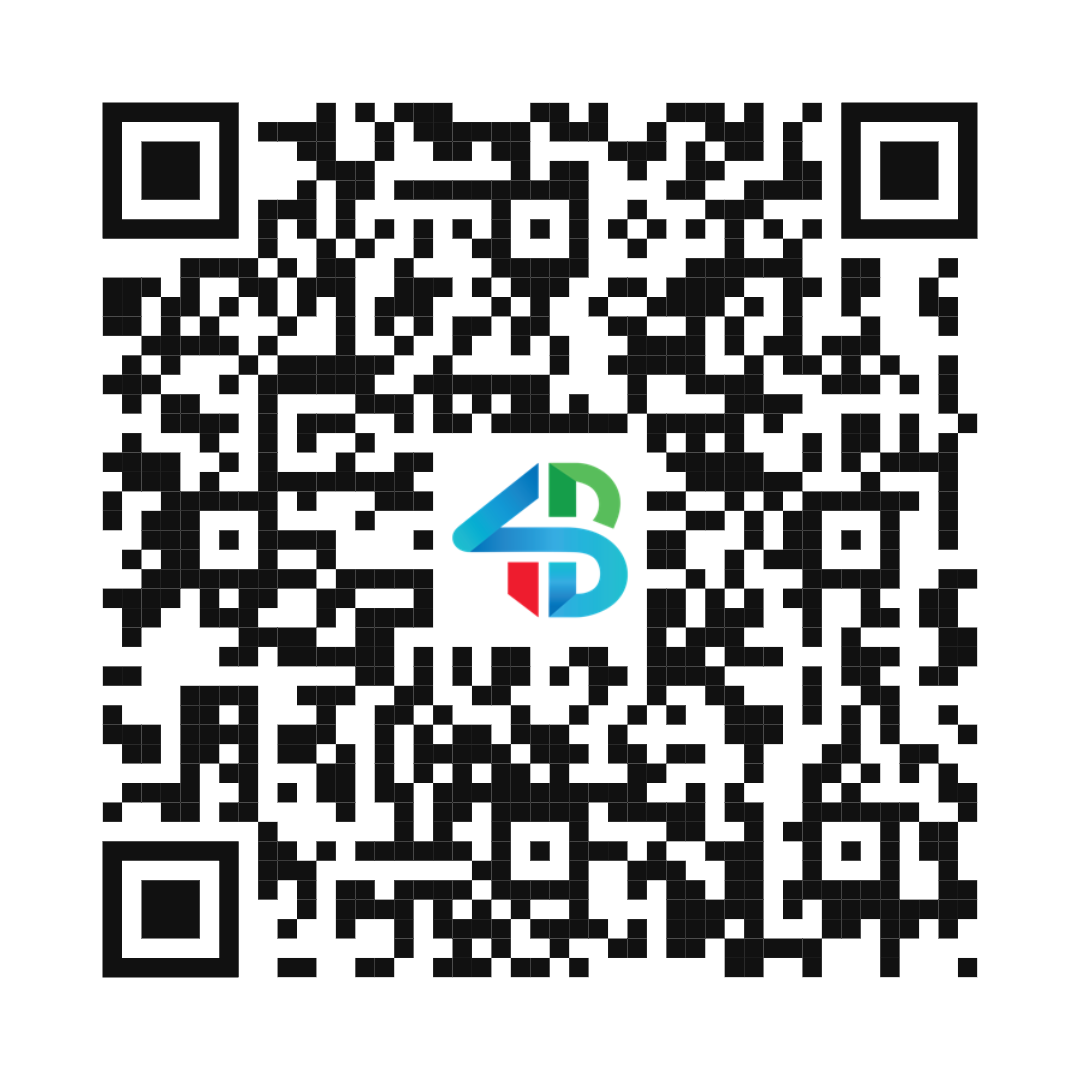
We also checked it outside the tool. OpenCV’s QR decoder, which shares no code with QR Studio, read the downloaded PNG as https://4brainslabs.com/guides/qr-code-size-print-scan-distance/ at full size, at half size and at a quarter size (270 px). Before you print a run of your own, scan one printed copy with an ordinary phone, at the size you will print and from the distance people will stand.
Limits and file formats
- PNG at any width from 64 px. The ceiling comes from the browser, not from us: 16,370 px for a plain square code, and less for a framed code, which is taller than it is wide. The PNG is drawn from the vector at the size you ask for, never enlarged from a smaller image.
- SVG and PDF have no size limit. The PDF is laid out at the print width you type in millimetres.
- EPS holds plain square modules in your two colours only: no logo, frame, dot shapes or gradient.
- Logos come from the built-in set or from your own PNG, JPG or SVG file.
- Warnings before you download: contrast below 4.5:1 (an error below 3:1), a light pattern on a dark background, pure red, a logo past the limit for its error-correction level, a transparent background, and very dense codes (version 15, 77 × 77 modules, and above).
- Many codes at once: fill in a spreadsheet template (.xlsx, .xls or .csv, up to 500 rows per file) and get every code back in one ZIP. Retail and shipping barcodes such as EAN-13, UPC-A, Code 128 and ITF-14 are on the barcode pages.
- What a static code cannot do: it cannot be edited after printing, and nobody can count its scans. If the destination may change, point the code at a page you control and change that page. Our guide to QR codes on printed menus covers when that trade-off matters.
- Everything runs in your browser. What you type is not uploaded or stored.